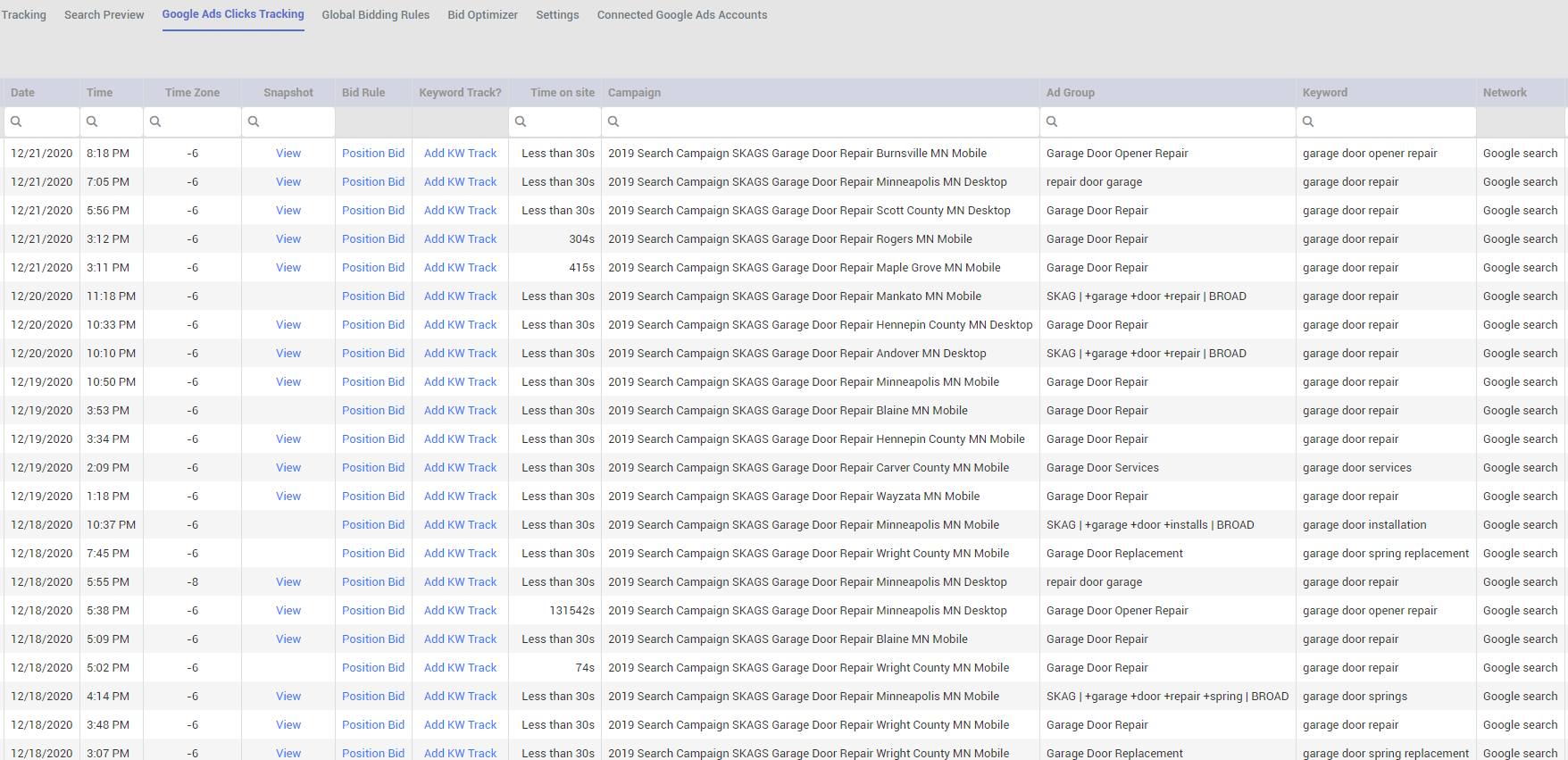
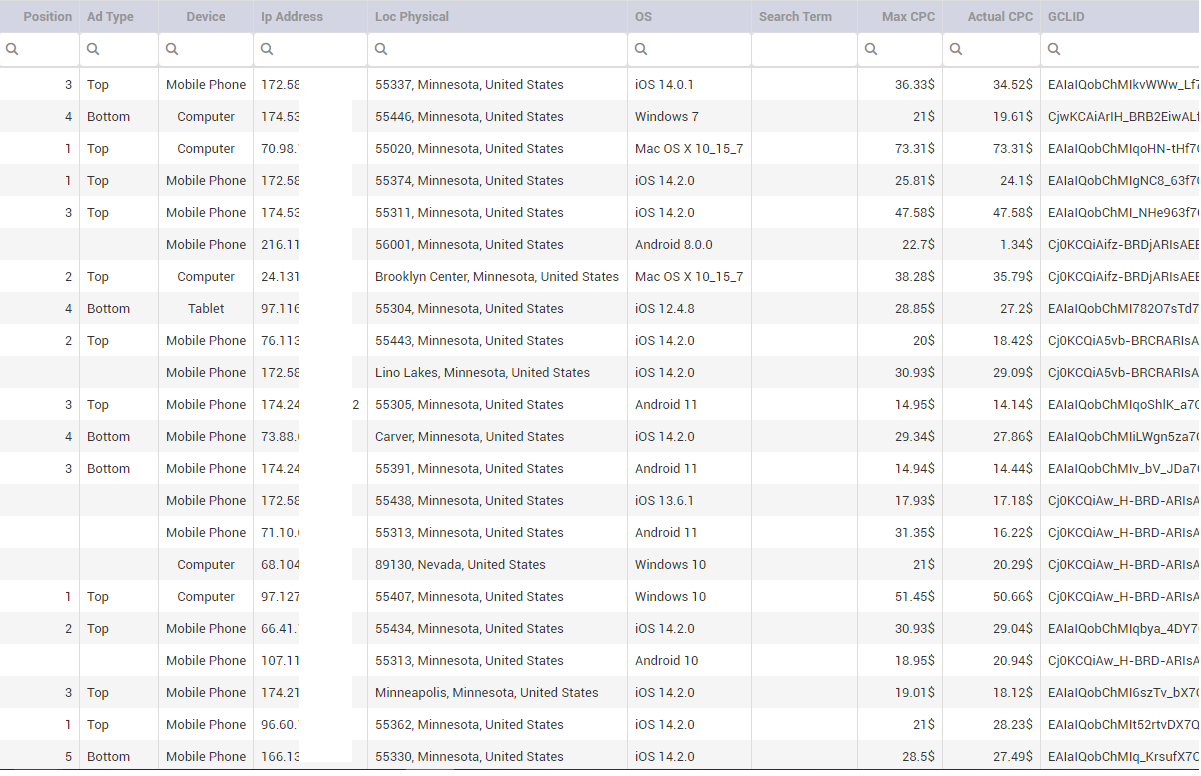
Google Ads click tracking will track every click and provide you useful information and insight about visitors.
To activate this feature you will need to go through those steps:
If you haven't connected an adword account, please go to
Connected Google Ads Accounts
to connect your adword account to our app first.
When you have connected adword account, go to
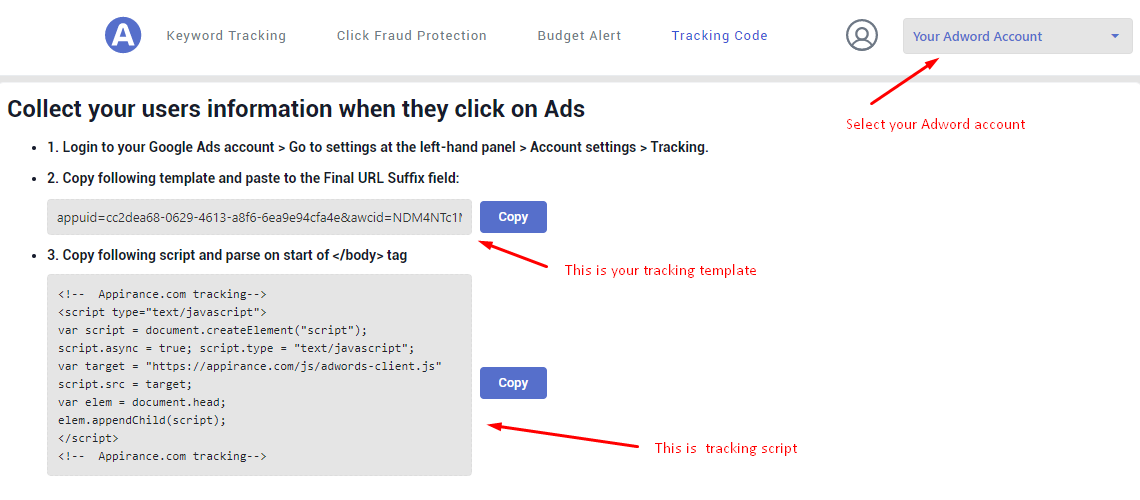
Tracking Code,
notice the dropdown in the top right screen to select extract adword Account
Copy the Tracking Template in the image of section (2),
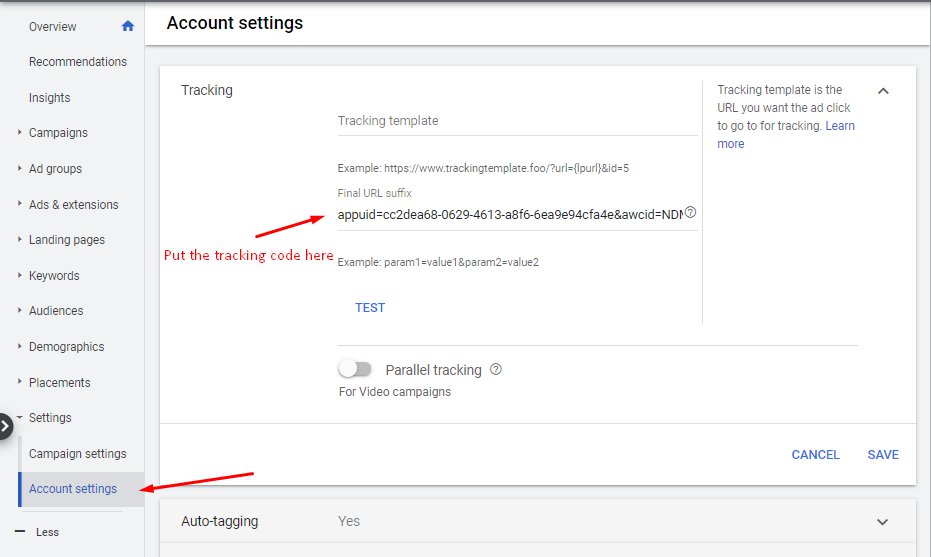
then login to your Google Ads Account > Go to settings at the left-hand panel > Account settings > Tracking
> Parse the code you copied to the Final Url suffix section
Copy the Tracking Script in the image of section (2) and parse to the start of <body> tag of your website